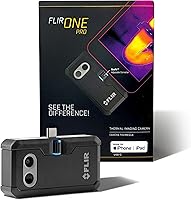
FLIR ONE vs FLIR ONE Pro: Which Should You Buy? (October 2026)
In the FLIR ONE vs FLIR ONE Pro comparison, choose the Pro for recurring inspections and finer thermal detail. Choose the standard FLIR ONE for occasional home checks focused on broad warm or cold areas; both versions require an iPhone 15 or newer with USB-C.
On this page (12 sections)
- FLIR ONE vs FLIR ONE Pro: what actually changes?
- Who should choose the standard FLIR ONE?
- When is the FLIR ONE Pro worth choosing?
- Will these versions fit your iPhone and case?
- Does the Pro measure temperature more accurately?
- What do MSX and VividIR add?
- How should you set up your first home scan?
- What can you learn about drafts, insulation and leaks?
- Which common mistakes make either camera less useful?
- How should you handle and care for either attachment?
- Should you choose a phone attachment at all?
- FLIR ONE vs FLIR ONE Pro: make the final choice
The FLIR ONE Pro is the better choice for recurring inspections, while the standard FLIR ONE suits occasional checks of broad warm or cold areas. This FLIR ONE vs FLIR ONE Pro comparison comes down to how much thermal detail your work needs.
Choose around a real task: scanning an entire wall for an unusual patch is different from separating nearby temperature patterns around a pipe or window frame. The Pro gives you more detail for the second job.
Both versions here need a compatible USB-C iPhone. Start with that requirement, then decide whether your inspections call for the Pro's extra thermal pixels.
FLIR ONE vs FLIR ONE Pro: what actually changes?
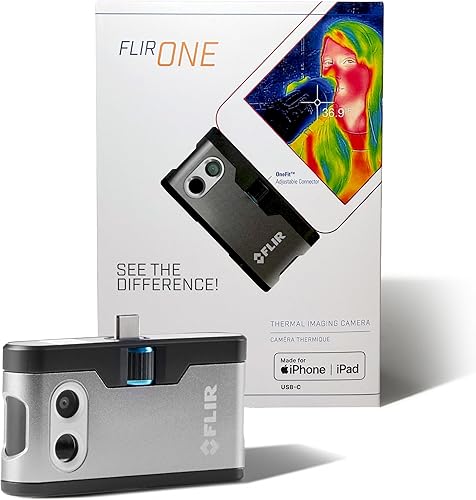
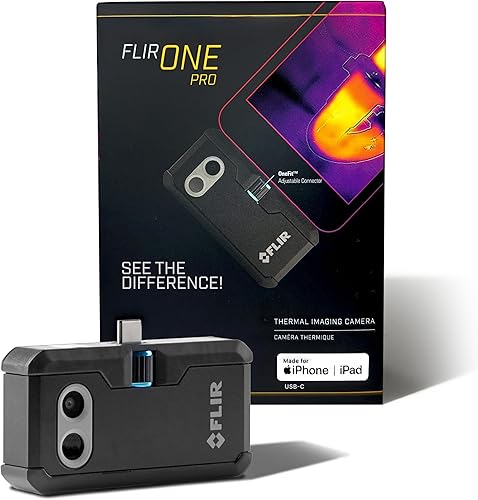
Native thermal resolution is the main difference. The FLIR ONE starts with 80 x 60 native IR pixels, while the Pro starts with 160 x 120, giving it 4 times as many native thermal pixels.
At a matching view of the same surface, more pixels help separate smaller patterns. That makes the Pro the stronger option when nearby warm and cool areas would otherwise blend together.
FLIR's VividIR processing produces enhanced images of 240 x 180 on the standard model and 480 x 360 on the Pro. These are processed output figures, so compare native resolution first when judging the underlying thermal detail.
Higher resolution doesn't let either camera see through walls or identify a fault by itself. It gives you a more detailed surface temperature picture to interpret.
Our guide to thermal camera resolution and range explains how these measures affect camera choice.
Who should choose the standard FLIR ONE?
Choose the standard FLIR ONE for occasional, broad home checks. It fits a buyer who wants to find a cold patch beside a window, compare sections of a ceiling or revisit a draft after sealing a gap.
These tasks often begin with a simple question: does one area look different from the surrounding surface? You don't always need to separate tiny features to decide where to inspect next.
The standard model also suits someone learning a repeatable scan routine. Both cameras include step-by-step inspection guides in the FLIR ONE app, including guidance for air leaks and moisture buildup.
Skip the standard model if you already know that small thermal details will drive your decisions. Buying it with the expectation that image processing will erase the native-resolution gap is a poor fit.
For a single concern, first consider what evidence you need. A camera is useful for locating a pattern, but a specialist inspection may be more useful if you need its cause established.
When is the FLIR ONE Pro worth choosing?
Choose the Pro when you'll inspect often or compare smaller areas. Its extra native detail matters most when you need to separate adjacent thermal patterns rather than simply find a broad warm or cold patch.
A recurring home-maintenance routine is a good example. You may want to revisit window surrounds, pipe routes or sections of a wall and compare the same features over time.
The Pro is also the better fit if you expect to examine saved images closely. Start with more captured thermal detail rather than relying on enlarging a lower-resolution image later.
Skip the Pro if your main reason for upgrading is more accurate temperature readings. Its stated measurement accuracy matches the standard model, so extra image detail is the reason to choose it.
Don't buy either camera expecting an instant diagnosis. Even a clear thermal pattern needs context, such as recent heating, sunlight, airflow or moisture measurements.
FLIR ONE vs FLIR ONE Pro for checking a home
For a whole-room scan, the standard model can cover broad patterns; for closer follow-up comparisons, favor the Pro. Decide which of those jobs will make up most of your use.
Walk through your likely inspection before buying. If you mainly want to locate an unusual section of wall, the standard model fits; if you want to compare several nearby features, the Pro makes more sense.
Our home inspection thermal camera guide helps you compare these attachments with other camera formats.
Will these versions fit your iPhone and case?
Both versions connect directly to iPhone 15 and newer models with USB-C. These specific cameras aren't the right choice for an older iPhone with a different connector, and USB-C alone doesn't guarantee support for an Android phone.
Confirm your phone model before ordering. If you share a camera with someone else, check both phones rather than assuming that similar-looking ports mean the same compatibility.
Both have an adjustable OneFit connector, which FLIR says adapts to almost any phone case. Deep port openings and bulky case edges still deserve attention because the camera needs a secure connection.
During setup, support the attachment as you connect it. If it won't seat without force, remove the case and check the fit before continuing.
See our thermal cameras for iPhone guide for other options. Our explanation of whether an iPhone has a built-in thermal camera also covers why an ordinary phone camera can't replace this attachment.
Does the Pro measure temperature more accurately?
No: both have the same stated accuracy of ±3°C or ±5%. FLIR specifies that accuracy with the camera unit between 15°C and 35°C and the scene between 5°C and 120°C.
Those are conditions attached to the accuracy figure, not a complete operating-range statement. Don't assume the same accuracy applies outside them.
Resolution and accuracy answer different questions. Resolution affects how much thermal detail forms the image; accuracy concerns how close a temperature reading is to the actual temperature.
For home checks, comparisons between similar nearby surfaces can be more useful than one isolated number. Compare like materials from similar angles and look for a repeatable pattern.
Shiny metal can reflect heat from its surroundings, so its apparent temperature may mislead you. Neither model removes the need to account for surface material and reflections.
What do MSX and VividIR add?
MSX helps you recognize objects, while VividIR enhances the thermal image. Both cameras include these features, so neither is a reason on its own to choose the Pro.
MSX adds visible-light edges and outlines to the thermal view. A frame edge or pipe outline can help you place a temperature pattern on the right part of the scene.
That outline isn't extra thermal measurement detail. A sharply drawn visible edge can make an image easier to understand without proving that the thermal sensor resolved an equally small temperature difference.
VividIR combines multiple images and applies processing in real time. FLIR says this reduces blur and improves detail, but it doesn't make the standard camera's native image equivalent to the Pro's.
Colors need context, too. Read the temperature scale rather than assuming that red always means dangerous heat or blue always means a fault.
Our guide to reading thermal images explains how the palette and scale affect what you see.
How should you set up your first home scan?
Start with one clear question and a nearby comparison area. “Is this window surround cooler than the others?” produces a more useful scan than walking around looking for dramatic colors.
- Install the FLIR ONE app and connect the camera. Follow its setup prompts and confirm that the attachment sits securely.
- Choose the relevant inspection guide. Use it to structure the job rather than guessing your way through each room.
- Choose useful conditions. Insulation patterns are easier to spot when indoor and outdoor temperatures differ.
- Avoid recent direct sun. Sun-warmed walls can show patterns unrelated to an insulation problem.
- Capture context before detail. Start with the whole area, then move closer while keeping a useful comparison surface in view.
- Record the conditions. Note the room, time, heating or cooling state and anything recently wet or warm.
Move slowly and pause before saving an image. Keep your distance and angle similar when comparing two areas so that framing changes don't distract from the temperature pattern.
If the attachment has come from a very different environment, allow it to settle before relying on readings. Follow the camera's instructions for preparation and care.
Our guide to using a thermal camera at home walks through a fuller scan routine.
What can you learn about drafts, insulation and leaks?
Either camera can point you toward an unusual surface pattern, but further checks establish the cause. A cold patch might involve airflow, insulation, moisture or a material difference.
For a possible draft, compare the suspect area with a similar window or door under the same conditions. Then check for airflow and inspect the seal or joint.
For insulation, look for patterns that persist across repeat scans in useful weather conditions. Framing and other construction details can also create temperature differences, so an uneven wall isn't automatically defective.
Our guide to using a thermal camera for house insulation explains how to plan those checks.
For a possible leak, use the thermal image to narrow the area for further inspection. A moisture meter or a suitable professional assessment can help establish whether water is present.
Neither camera shows the pipe or damage through an intact wall. Read what thermal cameras can see through walls before using a surface pattern to plan repairs.
Which common mistakes make either camera less useful?
Poor comparisons cause more confusion than camera choice. A higher-resolution image won't correct a misleading angle, a reflection or a scan made under changing conditions.
- Comparing different materials: Metal, paint, glass and fabric can behave differently in a thermal view.
- Ignoring reflected heat: Change your viewing angle and see whether a suspicious patch moves with you.
- Trusting colors without the scale: Two images can look similar while covering different temperature spans.
- Relying on heavy enlargement: Enlarging an image doesn't recreate missing native thermal detail.
- Treating one frame as a diagnosis: Revisit the area and check it through another suitable method.
- Comparing before and after in different conditions: Sunlight, HVAC cycles and recent water use can change the result.
Also remember that temperature is only one clue in a repair decision. A warmer component isn't automatically faulty, and a cooler wall isn't automatically wet.
For electrical concerns, keep covers in place and use a qualified electrician where access or interpretation requires it. A phone attachment doesn't make working near exposed energized parts safe.
How should you handle and care for either attachment?
Protect the connector and optical surfaces during every use. Both cameras attach to the phone's charging port, so avoid carrying the phone by the camera or letting the attachment catch on clothing.
Support the camera when connecting or removing it. Disconnect it before putting the phone in a pocket or bag, where sideways pressure could reach the connector.
FLIR rates both models to withstand a 1.5 m drop. That claim isn't a reason to leave the attachment exposed to knocks, and it doesn't guarantee water resistance.
Keep fingers off the optical surfaces and follow FLIR's cleaning instructions. Remove dust gently rather than rubbing grit across a lens or applying an unapproved cleaner.
Dry storage also matters after a scan near damp areas. Don't assume either model can tolerate rain, splashes or immersion based on its jobsite positioning.
Should you choose a phone attachment at all?
Choose either FLIR if you want to use a compatible iPhone as the viewing screen. Consider a standalone camera if you need to keep your phone free or want an inspection tool that doesn't depend on your phone connector.
That choice matters if you often take calls, carry other equipment or expect to change phone platforms. A camera that fits your current phone may not fit your next one.
FLIR describes both models for home, automotive and industrial inspection uses. For specialized work, match the task's requirements rather than choosing from that broad application label alone.
Our thermal camera buyer's guide covers the broader format choices. You can also review the FLIR ONE camera family for context about the range.
FLIR ONE vs FLIR ONE Pro: make the final choice
Pick the standard FLIR ONE for occasional broad checks; pick the Pro for recurring work and smaller thermal patterns. Buy around the detail you need to separate, then confirm that your phone and case fit.
Before deciding, name 3 jobs you'll actually do. If they're broad scans followed by simple physical checks, the standard model is a sensible fit.
If those jobs involve repeated close comparisons, choose the Pro. If you need proof of hidden damage or more accurate temperature measurements, neither model's resolution advantage answers that requirement.
For a closer look at the higher-resolution option, read our FLIR ONE Pro review. If another phone attachment is still on your shortlist, compare FLIR ONE vs TOPDON.
Frequently asked questions
What is the main difference between FLIR ONE and FLIR ONE Pro?
The main difference is native thermal resolution: the FLIR ONE has 80 x 60 native IR, while the Pro has 160 x 120. That gives the Pro four times as many native thermal pixels, making it the stronger choice for comparing smaller areas rather than broad temperature patterns.
Do FLIR ONE and FLIR ONE Pro work with older iPhones?
These versions require an iPhone 15 or newer with USB-C, so they aren't suitable for older iPhones with a different connector; a USB-C port alone also doesn't guarantee compatibility with every phone. Our iPhone thermal camera guide covers other options if your phone doesn't match these versions.
Are the FLIR ONE and FLIR ONE Pro equally accurate?
Both have the same stated measurement accuracy: ±3°C or ±5% when the unit is within 15°C to 35°C and the scene is within 5°C to 120°C. The Pro provides more image detail, but that does not make its temperature readings more accurate under those stated conditions.
Which FLIR ONE is better for home inspections?
Choose the Pro for recurring home inspections or closer comparisons around windows, walls and pipes; choose the standard model for occasional scans of broad warm or cold areas. Both can help you locate suspicious surface patterns, but neither identifies hidden damage or proves the cause without further checks.