FLIR ONE Pro Review: Worth It? (October 2026)
The FLIR ONE Pro suits iPhone owners who want guided home inspections and more thermal detail than the standard FLIR ONE. Choose this version for USB-C iPhone 15 and newer models; compare TOPDON if you need other phone connections.
On this page (10 sections)
- What does the FLIR ONE Pro offer?
- How does FLIR ONE Pro compare with FLIR ONE?
- Which phone connections should you check before buying?
- What can you inspect around a home?
- How should you set up your first inspection?
- What do accuracy and image resolution actually tell you?
- Which common mistakes lead to misleading thermal images?
- How should you care for a phone thermal attachment?
- Should you buy the FLIR ONE Pro or an alternative?
- Sources
The FLIR ONE Pro is a good fit for guided home inspections on a compatible iPhone, especially if you want more thermal detail than the standard FLIR ONE. Choose another attachment if you need Android support or a Lightning connection.
Its strongest case is a repeatable home inspection routine: scan a room, identify an unusual surface pattern, then check the cause. The app's guidance helps organize that work, while the image tools help you recognize what you're looking at.
The buying decision starts with your phone, followed by the size of the features you need to inspect. A broad cool area on a wall and a small warm component place different demands on a thermal camera.
What does the FLIR ONE Pro offer?
The FLIR ONE Pro combines higher thermal resolution than FLIR ONE, visible edge detail and guided inspection steps. It suits buyers who want help reading and working through a scene, rather than a camera chosen only by its output dimensions.
FLIR ONE Pro
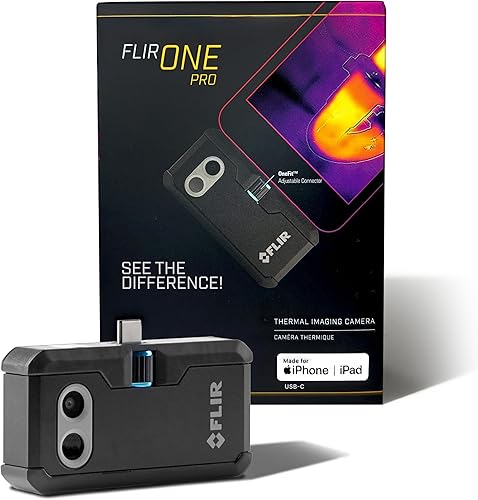
- USB-C iPhone 15 and newer compatibility
- 160 x 120 native IR with 480 x 360 Super Resolution
- MSX visible detail
- In-app inspection guide
Choose the Pro for guided iPhone inspections when you want more native thermal detail than the standard FLIR ONE provides.
Pros
- Higher native resolution than FLIR ONE
- MSX adds visible edges to thermal images
- App includes step-by-step inspection guides
- Rated for a 1.5 m drop
Cons
- This version requires a USB-C iPhone 15 or newer
- Enhanced image dimensions aren't native sensor resolution
MSX adds visible-light edges and outlines to the thermal view, helping you recognize objects such as a vent, pipe or door frame. Those outlines provide context; they aren't extra infrared measurements.
FLIR says VividIR combines multiple images to improve detail and reduce blur. Keep that processing separate from native resolution when comparing cameras, since a larger enhanced image doesn't mean the sensor has that many infrared pixels.
Who should choose the FLIR ONE Pro?
Choose the FLIR ONE Pro for repeated iPhone-based home checks where locating a pattern within a recognizable scene matters. Its guided workflow is useful if you want a starting point for checking air leaks, moisture-related patterns or HVAC concerns.
Skip it if you need one attachment for several phone platforms. Also consider a different camera format if you want to inspect without handling a phone and an attachment together.
Our best thermal camera for iPhone guide helps narrow the choice by phone connection and intended use.
How does FLIR ONE Pro compare with FLIR ONE?
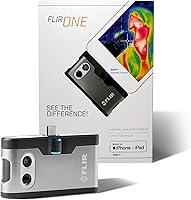
The Pro captures 4 times as many native infrared pixels as the standard FLIR ONE. Both include the same named image tools and inspection guides, so the main reason to choose the Pro is added thermal detail.
| Feature | FLIR ONE Pro | FLIR ONE |
|---|---|---|
| Phone support | USB-C iPhone 15 and newer | USB-C iPhone 15 and newer |
| Native thermal resolution | 160 x 120 | 80 x 60 |
| Enhanced resolution | 480 x 360 | 240 x 180 |
| Image tools | VividIR and MSX | VividIR and MSX |
| Inspection help | Step-by-step app guides | Step-by-step app guides |
| Temperature accuracy | ±3°C or ±5% under specified conditions | ±3°C or ±5% under specified conditions |
| Drop rating | 1.5 m | 1.5 m |
The standard model suits occasional checks of broad patterns around windows, doors and wall sections. Choose it when your task is finding an area to investigate, with no need to distinguish closely spaced features.
Choose the Pro when smaller details are part of your routine. More native pixels help separate features within the same view, although moving closer safely and framing the target well still matter.
Skip the standard FLIR ONE if you'll keep trying to enlarge small targets after capture. Digital enlargement can't recover thermal detail the sensor never captured.
Our FLIR ONE vs FLIR ONE Pro comparison covers that upgrade decision in more depth.
Which phone connections should you check before buying?
Check the exact camera version, phone model, port and operating system before comparing image features. This Pro version connects to USB-C iPhone 15 and newer models; a matching port alone doesn't guarantee support for another device.
The adjustable OneFit connector accommodates most phone cases. Check that it seats fully without forcing it, and remove a bulky case if it prevents a secure connection.
For a household with several USB-C devices, the TOPDON TC002C Duo is worth considering. It supports compatible iOS, Android and Windows devices, with Mac and Android 16 excluded; TOPDON describes the Android 16 exclusion as temporary.
The Duo offers 256 x 192 thermal imaging, enhanced to 512 x 384, plus a 25 Hz refresh rate and photo and video capture. Skip it if an excluded device is the one you plan to use.
The TOPDON TC001 Max makes more sense for supported Lightning iPhones or buyers who want thermal and visible-light cameras together. It includes USB-C and Lightning adapters and runs without separate camera charging or wireless pairing.
The Max also provides photo and video capture, image rotation, graphs and 3D temperature analysis through TopInfrared or TopView. Skip it if your main reason for buying is FLIR's guided inspection workflow.
For either TOPDON option, Android 10 users need an OS upgrade or a compatible app download from TOPDON. Confirm exact support rather than assuming an adapter resolves every software requirement.
What can you inspect around a home?
Use the Pro to locate unusual surface temperature patterns, then choose a separate check that can explain them. It can help narrow a search around windows, HVAC components, plumbing routes and equipment without establishing the cause on its own.
For drafts, inspect window edges and door frames when indoor and outdoor temperatures differ. Compare similar areas, since sun exposure, nearby heating and wall construction can also change the pattern.
For suspected moisture, look for an area that behaves differently from the surrounding surface. Follow up with a moisture meter or direct inspection, because a cool patch can have several causes.
For HVAC checks, compare similar vents or accessible pipe sections under similar operating conditions. Record whether the system is running so a later image has useful context.
For electrical concerns, keep to safe, accessible views and leave energized panel work to a qualified person. A thermal image isn't a reason to remove a protective cover or reach toward live parts.
The home thermal camera guide explains where phone attachments fit among other camera types. For a practical room-by-room approach, see how to use a thermal imaging camera at home.
How should you set up your first inspection?
Start with a secure connection and one clear inspection goal. Checking one window for a possible draft is easier to interpret than scanning a whole house without knowing what you're comparing.
- Prepare the phone and camera according to their instructions, then open the FLIR ONE app.
- Connect the attachment without forcing the port, and make sure the case doesn't obstruct the fit.
- Follow any prompts and give the camera time to adjust after moving between different environments.
- Choose the relevant inspection guide and frame both the target and a nearby reference area.
- Keep the phone steady while you inspect, and note the location, operating conditions and suspected issue.
Begin with a wide view to understand the scene, then move closer where safe. A close view without surrounding landmarks can be hard to match to the same spot later.
Compare similar materials whenever possible. A painted wall and a shiny metal fitting can produce different apparent readings even when their actual temperatures are close.
For a follow-up check after a repair, use roughly the same position and operating conditions. A change in weather or heating schedule can otherwise look like a change caused by the repair.
What do accuracy and image resolution actually tell you?
Resolution describes spatial detail; accuracy describes the margin around a temperature reading. A camera can show a clear pattern without measuring every point closely enough for a decision that depends on a precise temperature.
The FLIR accuracy figures above apply with the unit at 15°C to 35°C and the scene at 5°C to 120°C. Those conditions aren't a statement of the camera's full measurement range.
Don't choose the Pro over FLIR ONE expecting a narrower stated temperature error. Their stated accuracy is the same, while the Pro's advantage is image detail.
Both TOPDON models cover -4°F to 1,022°F and specify ±2°C or 2% accuracy. A wide range matters when your targets require it, but it isn't a reason to buy extra range for routine room-temperature comparisons.
For home checks, first ask whether you need to locate an unusual area or establish a precise value. Use an appropriate confirming tool when a small temperature difference would change a repair or safety decision.
Our guide to thermal camera resolution and range explains how to match those specifications to a task.
Which common mistakes lead to misleading thermal images?
The biggest mistake is treating a color change as a diagnosis. Thermal images show surface patterns, and similar-looking patterns can come from different causes.
Reading colors as fixed temperatures
A bright color doesn't always mean dangerously hot, and a dark color doesn't always mean unusually cold. Automatic color scaling can stretch a small temperature difference across the full palette.
Read the temperature scale alongside the image. Our guide to what thermal camera colors mean explains how to interpret those changes.
Confusing reflections with hot spots
Shiny metal and glass can reflect infrared energy from nearby objects. Change your viewing angle and compare nearby surfaces before deciding that the apparent hot spot belongs to the target.
Ordinary window glass also prevents a useful thermal view of what's beyond it. Inspect the surface you're actually viewing rather than treating the image as a view through the window.
Inspecting under poor comparison conditions
A sun-warmed wall can hide or imitate an insulation pattern. Recent rain, a nearby heater or a system that has just switched on can also change what you see.
Choose conditions that suit the question, and record them. If the pattern remains unclear, repeat the check under more suitable conditions rather than assigning a cause from one image.
Assuming the camera sees inside a wall
A thermal camera reads the visible surface, so a hidden problem must affect that surface before it can leave a useful clue. Pipes, insulation gaps and damp areas won't always produce a clear pattern.
Avoid opening a wall based only on an image. Use the pattern to guide a closer check that can confirm the location and cause.
How should you care for a phone thermal attachment?
Protect the lens, connector and phone port during use and storage. The FLIR drop rating doesn't remove the risk of damaging the attached phone or stressing its charging port.
Support the phone securely and avoid using the camera body as a handle. Disconnect the attachment before putting the phone in a pocket or bag.
Keep fingerprints and grit off the lenses, and follow the manufacturer's cleaning instructions. Avoid abrasive cloths or improvised cleaners that could damage the optical surfaces.
Store the attachment dry and protected from loose tools. After moving between cold and warm spaces, follow the care instructions and allow any condensation to clear before use.
Should you buy the FLIR ONE Pro or an alternative?
Buy the FLIR ONE Pro when guided iPhone inspections and added thermal detail match your regular tasks. Choose standard FLIR ONE for occasional broad home checks where smaller features aren't central to the job.
Choose TC002C Duo for sharing across supported USB-C devices. Choose TC001 Max for supported Lightning connections, dual-camera imaging or its analysis tools.
Before ordering, name the task you expect to repeat most often and confirm your exact phone support. Then use our FLIR vs TOPDON comparison to decide which app tools and connections best fit that routine.
Sources
FLIR's product information and support pages provide further guidance on the camera and its use.
Frequently asked questions
Does the FLIR ONE Pro work with Android phones?
This FLIR ONE Pro version supports USB-C iPhone 15 and newer models, so it isn't the right attachment for Android. Consider the TOPDON TC002C Duo or TC001 Max for a supported Android device, and check the exact phone model, operating system and connector before choosing.
What is the FLIR ONE Pro's thermal resolution?
The FLIR ONE Pro has 160 x 120 native infrared resolution, with VividIR Super Resolution enhancing the output to 480 x 360. MSX adds visible edge and outline detail to help identify objects, but those added outlines don't increase the native resolution of the infrared sensor.
Can the FLIR ONE Pro find drafts or moisture?
The FLIR ONE Pro can reveal surface temperature patterns that suggest air leakage or damp areas, and its app includes inspection guides. It doesn't directly confirm moving air or water inside a wall, so follow up with a draft check, moisture meter or suitable professional inspection.
Is the FLIR ONE Pro better than the FLIR ONE?
Choose the Pro when you want more thermal detail for smaller features or repeated inspections. The standard FLIR ONE suits broad home temperature checks and shares the Pro's MSX and guided inspection tools, so upgrading is mainly a decision about image detail rather than access to those tools.